Redeem Slap Volleyball Codes
Gear icon, Enter a Code, type LAUNCH exactly, then Redeem.
The redeem box in Slap Volleyball! is easy to miss if you came from a fighting game with a chat command. Chamagic put it behind the Gear icon at the top of the HUD, not in the Roblox settings menu and not in the chat bar. This walkthrough covers the PC click path, the mobile tap path, what happens when the string is rejected, and what Day One Blast Explosion actually is once it lands in your inventory. Keep the Codes Hub table open in another tab so you type the live string instead of a screenshot from a different slap title.
Before you open the box
Load the real experience: Slap Volleyball! on place 129047269843989, published by Chamagic. If the lobby shows a fighting ring instead of a court, you launched the wrong game. Codes from Slap Battles and from the Roblox game named Slap will not redeem here. You do not need a ranked match running; the Gear icon is available from the lobby. Finish the short warm-up later using Getting Started — redeeming first keeps the cosmetic from interrupting your first counted rally.
Copy LAUNCH from the Codes Hub rather than typing from memory. The string is six letters, all caps, no spaces. Autocorrect on phones loves to rewrite it as a word. Paste beats typing.
PC redeem steps
- Join Slap Volleyball! and wait until the HUD finishes loading. You should see score, shot clock, and the Gear control at the top.
- Click the Gear icon. Do not open Roblox’s Esc menu; that settings panel cannot redeem experience codes.
- Choose Enter a Code.
- Click Type It Here so the field is focused.
- Paste
LAUNCHwith no spaces. - Press Redeem and wait for the confirmation.
If the confirmation names Day One Blast Explosion, you are done. Equip it from cosmetics when you want the blast on a scored point. Trails, gloves, titles, and Slap Pass tracks are separate; see cosmetics for where each slot lives.
Mobile redeem steps
Mobile uses the same Gear path with a tighter HUD. Thumb the Gear at the top, tap Enter a Code, tap Type It Here, paste, then Redeem. Hide the on-screen joystick while the keyboard is up so you do not accidentally dive or jump. Controller players still use the on-screen Gear unless a future patch maps the box to a face button; as of late November 2026 the documented HUD still lists Gear as the entry. If you are learning inputs at the same time, keep the controls table nearby so 1–6 stay quick chat and 7–0 stay emotes instead of mystery binds.
What Day One Blast Explosion is
Day One Blast Explosion is a cosmetic explosion, not a damage buff and not a ranked boost. When you score, the blast plays on the point instead of a default pop. It does not change the 8.0-second shot clock, Hot Spot value, or the 20-hit fire rule. Those live in scoring rules. It also does not replace Fist of Fury, which is a court pickup for 110+ MPH slaps. Think of the explosion as a launch souvenir: Chamagic shipped it with the LAUNCH code when the game released on 8 October 2026.
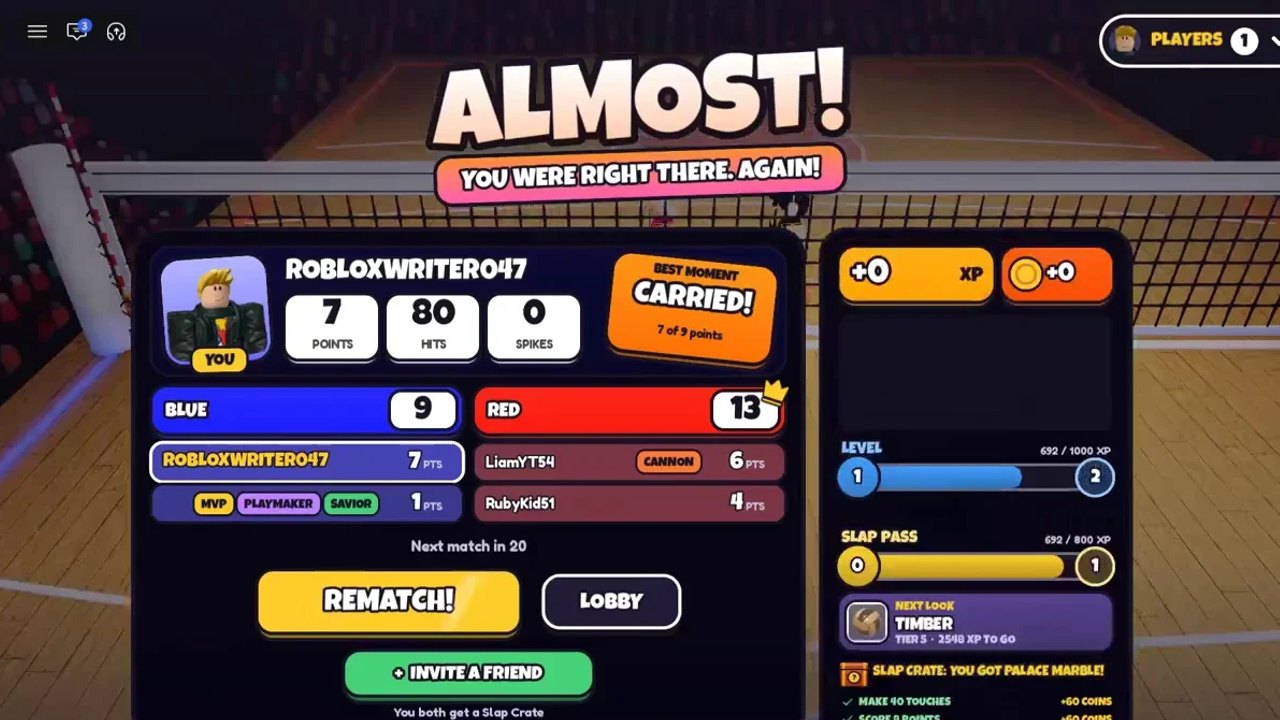
You will still earn other cosmetics from play. Level 2 grants +70 Coins. Level 4 unlocks the Viper move. Results screens offer Rematch, Lobby, and Invite a Friend; inviting a friend gives both of you a Slap Crate. None of those rewards are codes. The Players Hub is the roster-and-progression index once the redeem box is closed.
Troubleshooting rejected codes
Wrong game. If you are in Slap Battles, the code box there will not accept LAUNCH as a volleyball explosion. Leave and join Slap Volleyball!.
Case or spaces. launch, Launch, and LAUNCH with a trailing space are different strings. Paste from the table.
Expired message. As of this writing no expired Slap Volleyball codes are listed. If the game ever returns an expired error for LAUNCH, check the Codes Hub before retrying. Do not hunt Discord invites; there is no confirmed official Discord or Trello for this place. Use the Roblox game page and the Chamagic group.
Already redeemed. A second attempt on the same account should fail because the explosion is already in inventory. Open cosmetics and look for Day One Blast Explosion instead of spamming Redeem.
Network hitch. If Redeem does nothing, wait for the lobby to finish streaming, then try once more. Do not mash the button; duplicate submits can look like a silent fail.
After a successful redeem
Stay in the lobby long enough to equip the explosion if you want it on your next point, then queue. Solo, duos, and trios become 1v1, 2v2, and 3v3. New players usually see Slap Dome 2v2 first. Warm-up still happens; points start when the banner reads WARM-UP’S OVER. NOW IT COUNTS!. If ranked is your goal, the ranked guide explains Bronze, Slap Rating, and win by 2. The Guides Hub lists spike, shot clock, and control tutorials in one index. For a one-page input cheat sheet you can leave on a second monitor, open the controls sheet.
Codes are a two-minute errand. The match is the game: serve on YOUR SERVE, read blue and yellow landing circles, slap before the shot clock hits zero, and spike when a set sits above the net. Redeem, confirm the blast, then play.
Frequently Asked Questions
Quick answers for the court, the lobby, and ranked.
Where is the code box in Slap Volleyball?
Use the Gear icon at the top of the HUD, then Enter a Code and Type It Here. The Roblox Esc settings menu cannot redeem this experience's codes.
Can I redeem codes on mobile?
Yes. Follow the same Gear path and paste LAUNCH so autocorrect cannot change the letters. Hide the joystick while the keyboard is open.
What does Day One Blast Explosion do?
It is a cosmetic explosion on scored points. It does not change shot clock, Hot Spot, fire ball, or Slap Rating.
Why does Redeem fail with no reward?
Check that you are in Slap Volleyball!, that LAUNCH is all caps with no spaces, and that you have not already claimed the explosion on this account.
Do I need to be in a match to redeem?
No. The Gear icon works from the lobby. Redeem first, then start your first counted 2v2.