Slap Volleyball Controls
Keyboard, mobile, and controller inputs for slap, set, spike, dive, and serve.
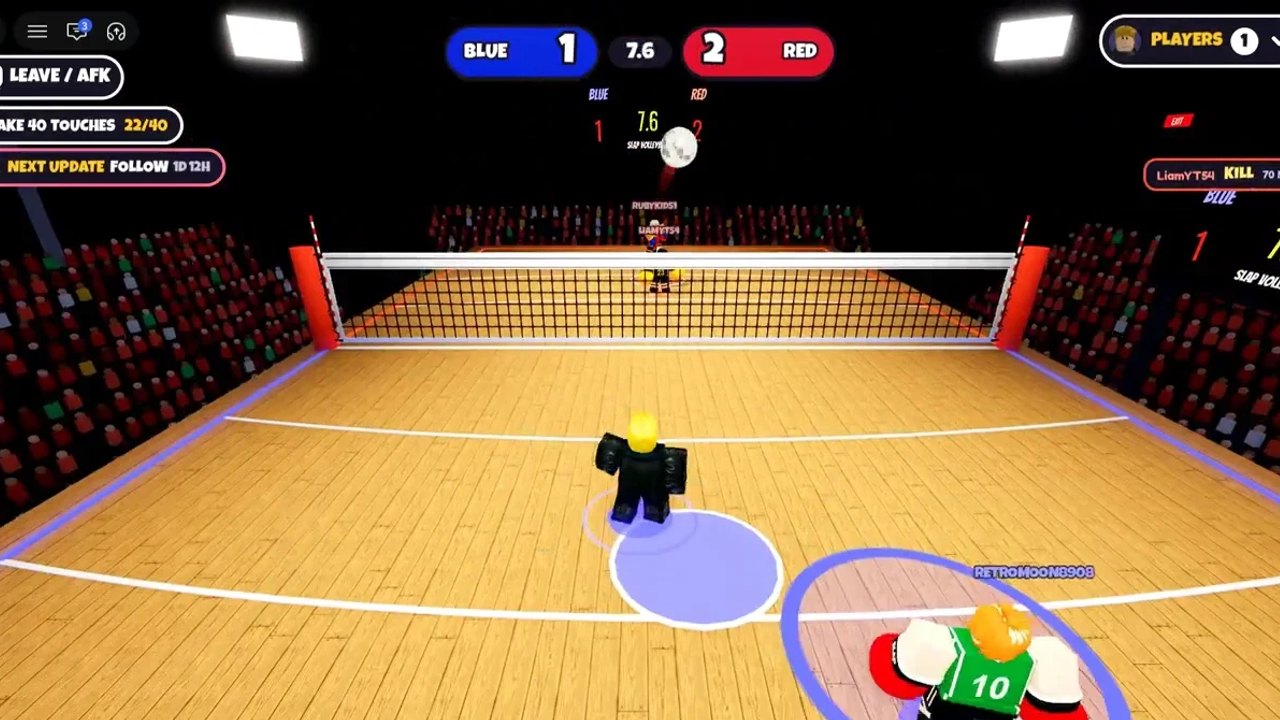
Slap Volleyball! puts every competitive action on a short HUD list. Press H in-game to see it live. This page is the same map in wiki form: keyboard defaults, what Shift Lock actually changes, how serve arc works, and when to dive versus float versus jump. Mobile and controller are supported; they mirror these actions even when the prompts show mouse buttons. If you only came here to print the binds, use the controls sheet after you read the notes below.
Keyboard map
| Input | Action | When you use it |
|---|---|---|
| Left mouse button | Slap / send serve | Contact on defense, put-away, and YOUR SERVE toss |
| Right mouse button or E | Set / change serve arc | Give a teammate a swing, or cycle arc off MID |
| Space | Jump (double jump) | Timing for blocks, sets, and spikes |
| Jump + Slap | Spike | Put-away when the ball is above the net |
| Shift | Dive | Low balls you cannot reach standing |
| F | Float | Hang time to meet a high ball |
| Ctrl | Shift Lock | Lock facing to the camera for aim |
| 1 | Chat / quick chat slot | Open chat; 1–6 are quick chat |
| 2 | Emote slot | 7–0 fire emotes |
| H | All controls | Full in-game list |
1–6 are quick chat. 7–0 are emotes. Do not bind those mentally as extra slap keys; they are social. Chat is for calling set, mine, or clock in trios, not for redeeming codes — codes still go through the Gear icon on the Codes Hub.
Serve arc, MID, and aim
On YOUR SERVE the left click is a send, not a rally slap. Aim with the mouse first. Right click or E changes arc from MID to a higher or flatter toss. A MID serve is the default for a reason: it lands in more often while you learn landing circles. Aces happen when the other side never touches the ball, not when the toss looks fancy. After the serve, LMB is a slap again. The Getting Started page places this prompt in the first-session flow; this page is only the bind.
Shift Lock
Ctrl toggles Shift Lock. With it on, your facing follows the camera, which makes slap direction predictable. With it off, you can strafe more freely but your swing may drift away from the landing circle. Ranked 2v2 players usually lock before a spike so the ball goes where the camera looks. Unlock if you need to turn for a save. There is no separate aim key; camera plus Shift Lock is the aim model.
Dive vs float vs jump
These three movement tools solve different misses.
Jump (Space, including double jump) is your default height. Use it for blocks, for meeting a set, and as the first half of a spike. Double jump is a second chance, not a travel move across the whole court.
Dive (Shift) is for balls the landing circle puts at your shoes. You give up recovery time. A kill off a dive can still pay +25 XP, so the animation is worth it when the alternative is a bounce on your side and a lost rally.
Float (F) buys hang time. Use it when the set is high and a normal jump peaking too early would slap air. Float is not a substitute for reading the circle; it is a timing patch.
If you mash all three on every touch, you will miss the shot clock. Pick one tool per ball. The 8.0-second clock does not pause for style. Scoring labels and Hot Spot rules are on shot clock and fire ball.
Spike input, not a spike key
There is no dedicated spike button. Hold or tap jump, then slap at the peak. That combo is Jump + Slap. The HUD may flash POWER SPIKE when the contact is clean and fast. Fist of Fury is a court pickup that pushes slaps to 110+ MPH; it is not a control bind. The full timing guide is How to Spike in Slap Volleyball. Practice the combo in warm-up before you try it on match point.
Mobile and controller
Mobile and controller are supported on the same action set. On touch, slap and set are on-screen buttons that match LMB and RMB/E. Jump, dive, and float sit on the right cluster. Shift Lock still matters; look for the lock toggle on the HUD rather than a keyboard Ctrl. Controller faces usually map slap to a primary attack button and set to a secondary; jump stays on the south face or bumper depending on your Roblox controller profile. Because those maps can follow Roblox user remaps, treat the keyboard table as the source of truth for what the game expects, then match icons on your device. If a prompt still shows LMB while you hold a gamepad, press the attack button — the prompt has not changed the action.
Do not hunt third-party scripts to rebind this list. Dedicated Slap Volleyball scripts were not found on common script sites as of research, and Slap Battles scripts will not work here. Learn H, then play.
Practice order
- Serve: mouse aim, MID arc, LMB send.
- Rally slap: move to the circle, LMB before 8.0.
- Set: RMB/E to a teammate in 2v2 or 3v3.
- Jump + Slap on a high ball.
- Dive only on balls you cannot stand for.
- Float only on balls you cannot time with a normal jump.
- Shift Lock on for aimed spikes, off for panicked saves.
Once that order feels boring, you are ready for ranked habits on the ranked guide and for role talk on the Players Hub. The Guides Hub links every tutorial. Cosmetics such as explosions and gloves never change these binds; they only change how a point looks after you already won it via cosmetics.
Frequently Asked Questions
Quick answers for the court, the lobby, and ranked.
What is the spike button in Slap Volleyball?
There is no separate spike key. Jump with Space, then Slap with left click. The HUD may show POWER SPIKE on a clean contact.
How do I change serve arc?
On YOUR SERVE, press right click or E to cycle arc from MID, aim with the mouse, then left click to send.
What does Shift Lock do?
Ctrl toggles Shift Lock so your facing follows the camera. Use it to aim spikes; turn it off if you need to spin for a save.
Is there a full list in-game?
Yes. Press H for all controls. Keys 1–6 are quick chat and 7–0 are emotes.
Can I play Slap Volleyball on mobile or controller?
Yes. Both are supported and map to the same actions: slap, set, jump, spike combo, dive, float, and Shift Lock.
Should I dive or float on every ball?
No. Dive for low balls, float for extra hang time on high balls, and jump for standard height. The 8.0-second shot clock still runs.