Slap Volleyball Controls Cheat Sheet
Keyboard, serve, chat, emotes, and mobile inputs on one page for live matches.
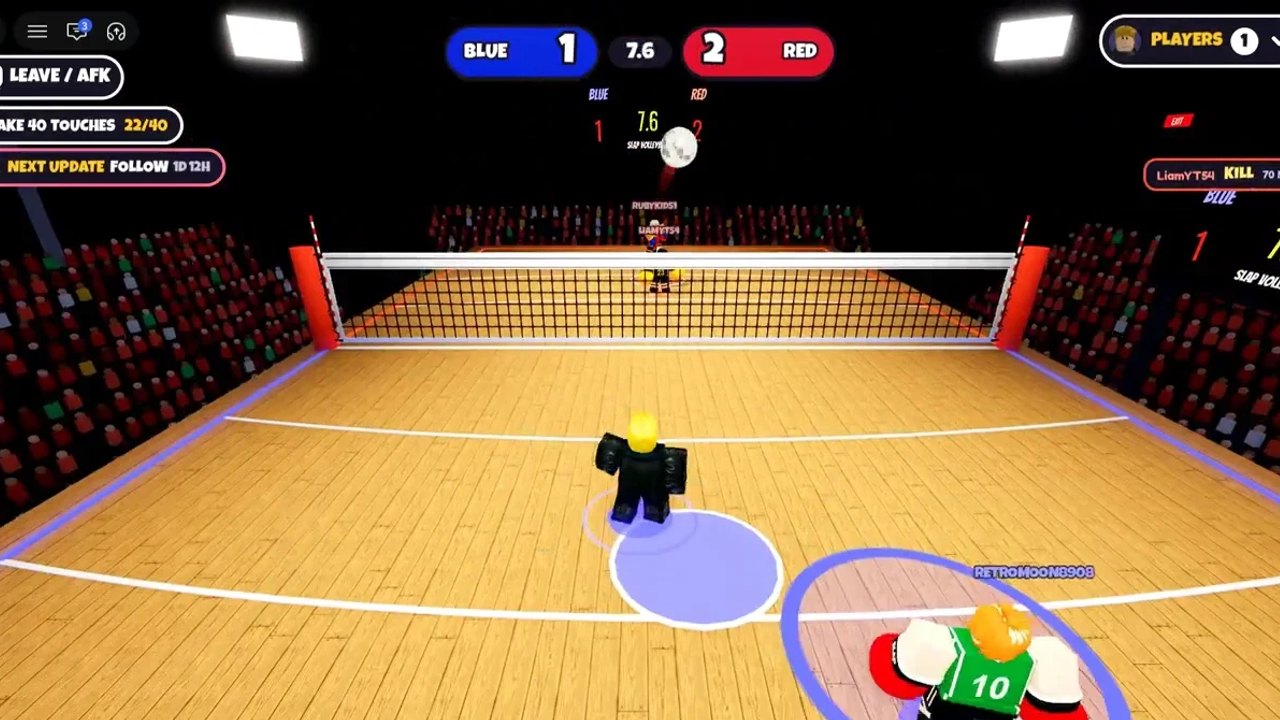
This cheat sheet is the second-screen version of Slap Volleyball’s HUD. It is built for the waiting room and the seconds between points, not for reading mid-dive. Keyboard binds come from the in-game list (press H). Serve, chat, emotes, and mobile notes sit under that list so you can find one row fast. The long-form explanation is the controls guide. This page is the tools hub table you actually glance at.
Slap Volleyball is Chamagic’s Roblox net sport (8 October 2026). The kit is small on purpose: Slap, Set, Jump, Dive, Float, plus camera and social keys. Most thrown points are not “I need a script.” They are “I slapped instead of set” or “I forgot the 8-second clock.” Keep this sheet next to the scoring rules so binds and win conditions stay in the same glance.
Keyboard (PC)
| Action | Input | When you use it |
|---|---|---|
| Slap | Left mouse button (LMB) | Serve, attack, and most finishes. This is the hit. |
| Set | Right mouse button or E | Lift for a teammate in 2v2 / 3v3, or give yourself a cleaner second touch. |
| Jump | Space | Get above the net for a spike or a block jump. |
| Dive | Shift | Floor save when the landing circle is away from you. |
| Float | F | Stay in the air a beat longer to recover a high ball. |
| Shift Lock | Ctrl | Lock the camera so 3v3 rotations do not spin you. |
| Chat | 1 | Quick call (“set”, “hot”, “clock”) without opening a huge menu. |
| Emote | 2 | Lobby or after a point — not during the shot clock. |
| All controls | H | Opens the full in-game list if this sheet is stale. |
If a bind does nothing, you are in a menu, a code box, or chat focus. Close that, then tap H. Do not download an “auto key” overlay; that is an executor problem, covered on the scripts hub.
Serve
There is no separate confirmed serve key. You put the ball in play with Slap (LMB) when you have the serve. The 8-second shot clock starts with the rally, not with a special wind-up button.
| Situation | What to press | Notes |
|---|---|---|
| Opening serve | Slap (LMB) | Warm-up rallies do not count. The real set is first to 12, win by 2. |
| After a point | Wait for the ball, then Slap | Do not jump-serve into the net on panic. A clean slap in is better than a 110 MPH miss. |
| Partner is already jumping | Set (RMB / E), then they Slap | This is the 2v2 pattern in how to spike. |
| Clock is already low | Slap, do not emote | 2 is emote. Serving into an emote is a donated point. |
| Fist of Fury is on the court | Grab it when safe, then Slap | Pickup for 110+ MPH slaps — not a bind, not a script. |
Aim the first ball in. A missed serve is a free point and a wasted chance to start a 20-hit fire rally. Court geometry changes on Slap Dome, Sandy Shores, and Picnic Park, but the serve input does not.
Chat and emotes
| Key | Action | Match rule of thumb |
|---|---|---|
| 1 | Chat | Call “set”, “mine”, “hot”, or “clock” before the touch, not after. |
| 2 | Emote | Waiting room, after the whistle, never at 2 seconds on the shot clock. |
| H | All controls | Recheck binds after a patch. See updates. |
Chat is for 2v2 and 3v3. Silent greedy slaps lose to a partner who jumped for a set you never sent. If you need rank context for those calls, use the ranked guide after the set, not in chat spam.
Mobile
Slap Volleyball shows on-screen buttons that map to the same actions as PC. There is no separate confirmed mobile-only bind list beyond that HUD. Treat the labels as the source of truth:
| HUD label | Same as PC | Mobile note |
|---|---|---|
| Slap | LMB | Thumb button. Do not mash it if a Set is available. |
| Set | RMB / E | Use this when a teammate is already in the air. |
| Jump | Space | Jump first, slap second for a spike. |
| Dive | Shift | Slide for tips; expect a short recovery. |
| Float | F | Hold to stabilize a high ball. |
| Controls help | H on PC | Open the in-game controls panel if the client shows one. |
Touch lag is real. Dive earlier than you would on mouse. If the on-screen jump and slap overlap, slow the thumb down — auto-hit “fixes” for that overlap are cheats, not settings. New mobile players should still complete Getting Started so warm-up versus a real match is clear.
Shift Lock on mobile follows Roblox’s usual camera lock control in the client settings, not a unique volleyball key. If the camera is wild, enable shift lock in Roblox settings, then come back to the rally.
Match checklist (use between points)
Run this list after a side-out, not while the ball is in the air:
- Clock — 8 seconds. If you lost the last point on zero, slap earlier, do not hunt a farm. Rules recap: scoring.
- Score — First to 12, win by 2. At 11–11 you still need a two-point lead.
- Hot Spot — Two points. Look for the marked zone before you pick a greedy angle.
- Fire — 20-hit rally sets the ball on fire. Keep the extra touch alive.
- Set vs Slap — Teammate jumping? RMB / E. Alone? LMB.
- Dive / Float — Tips get Shift. High recoveries get F.
- Fist of Fury — Pickup on the court. Do not throw the 110+ MPH slap into the net.
- Camera — Ctrl if you are spinning in 3v3.
- No cheats — If the instinct is “I wish this slapped for me,” that is a ban, not a tool. Read script safety.
- Next queue plan — Ranked questions wait for the ranked guide. Codes wait for the codes hub.
Practice order that actually sticks
Muscle memory needs a sequence, not a poster. In the next waiting room:
- Press H once and match every row on this sheet to the HUD.
- Serve twice with a calm LMB. Then play one rally where you only Set when a partner jumps.
- Play one rally where you Dive the first tip you see, even if it looks ugly.
- Play one rally where you Float instead of falling out of a jump.
- After the set, read how to spike if the attack still feels like a prayer.
The players hub and cosmetics will not change these binds. Neither will the LAUNCH code. Patch notes on the ranked update and launch recap are the only reason to rebuild this table. Until a patch says otherwise, the kit is still Slap, Set, Jump, Dive, Float.
Print the keyboard table if you want, but the useful copy is the one you can see while Roblox is in front. When the next point starts, close the wiki, press the bind, and beat the clock. That is the whole sheet.
Frequently Asked Questions
Quick answers for the court, the lobby, and ranked.
What is the full PC control list?
LMB Slap, RMB or E Set, Space Jump, Shift Dive, F Float, Ctrl Shift Lock, 1 Chat, 2 Emote, H for all controls. Details stay on this sheet and in the controls guide.
Is there a dedicated serve button?
No separate serve key is confirmed. You serve with Slap (LMB) when you have the ball. Warm-up still does not count toward the set.
How do I see controls in game?
Press H. If a patch moved the panel, check updates and this sheet again.
Do mobile players use different actions?
The HUD labels match PC: Slap, Set, Jump, Dive, Float. There is no extra confirmed mobile-only kit. New players should still read Getting Started.
Where do shot clock and Hot Spot fit on this sheet?
They are on the match checklist and fully explained in scoring. Binds do not change the rules: 8-second clock, first to 12 win by 2, Hot Spot = 2, fire after 20 hits.
Will a script press these keys for me?
Do not. Auto-hit is a ban risk and nothing is confirmed for this title. See the scripts hub and practice spikes instead.